 Vamimi
AI diagram generator
Describe a process, a system or an idea in a sentence. VamimiAI draws the complete diagram, including the paths where things go wrong, and changes it when you ask.
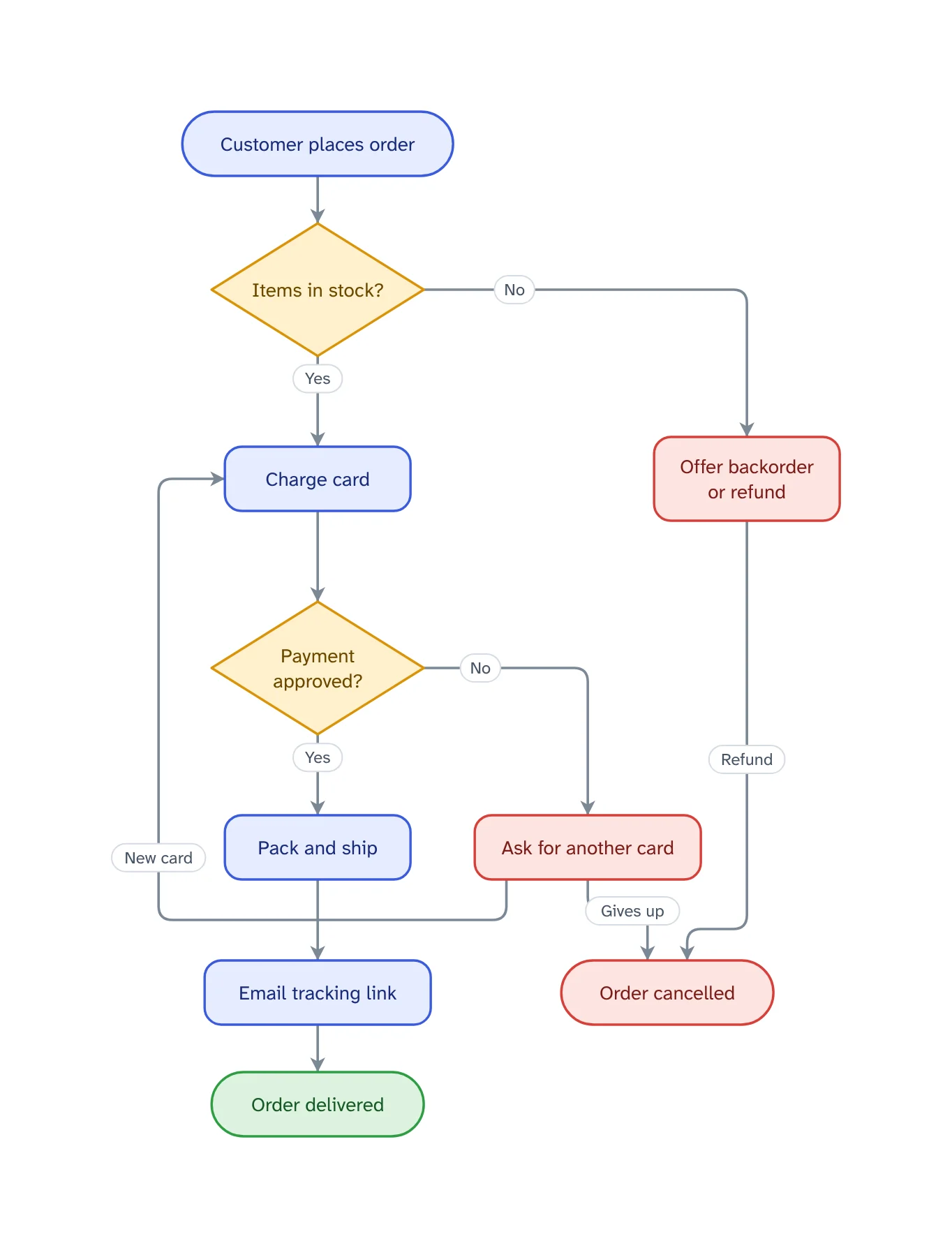
The prompt: Map how an online order works, from checkout to delivery, including what can go wrong
. It goes into the message box for you to edit; nothing is sent until you press Send.
How it works
Describe it
Write what you want in plain words, in any language, or attach a PDF, Word, Excel, CSV or text file.
Get the whole picture
VamimiAI lays out every step and connector for you. No dragging boxes, no lining up arrows.
Refine by asking
Say “add a retry”, “split the payment step” or “make it left to right”. Only what you ask for changes.
What you get
Many kinds of visual
Flowcharts, system diagrams, sequence diagrams, mind maps, org charts, swimlanes, charts, tables, timelines and KPI tiles.
Complete, not a sketch
Ask for a process and you get the decisions, the failure paths and the end states, not just the happy path.
Checked for gaps
Logic checks catch a decision with only one exit, a step that leads nowhere and a step nothing reaches.
Edit by hand too
Drag, resize, connect, add shapes, type labels, undo and redo. Your next message continues from your version.
Download anywhere
SVG, PNG, JPEG or PDF for every visual. Flow diagrams also export to draw.io and Mermaid.
Saved to your account
Sign in with Google or email and your chats, diagrams and folders are there on every device. Download everything or delete your account from the app at any time.
When an AI diagram generator saves the most time
Drawing a diagram by hand is mostly layout work: placing boxes, routing arrows around each other and starting again when a step is added in the middle. An AI diagram generator does that part for you, so your time goes into what the diagram should say.
It is most useful for diagrams that change while you think: a process you are still designing, a system you are explaining to a new teammate, or a plan you are reviewing in a meeting. Ask for a change in words and the layout keeps its shape, so people do not lose their place.
VamimiAI is also an assistant, not only a generator. Ask a question and you get an answer in words; ask for a visual and it builds one. It never redraws your diagram for a message that did not ask for a change.
Prompts to start from
Questions
What can VamimiAI draw?
Flowcharts and process diagrams, system and architecture diagrams, sequence diagrams, swimlane and layered diagrams, mind maps, org charts, bar, line, area, pie and donut charts, tables, timelines and KPI tiles.
Do I need to create an account?
No. There is no account. Your chats are stored in your browser on your device, and you can back them up or erase them from Settings.
Can I change the diagram after it is drawn?
Yes, in two ways. Ask for the change in the chat, or open the editor and drag, resize, connect and relabel by hand. Either way the next message builds on your latest version.
Which file formats can I download?
Every visual downloads as SVG, PNG, JPEG or PDF and copies as JSON. Flow diagrams also download as an editable draw.io file and as Mermaid; sequence diagrams as Mermaid.
Does it work in other languages?
Yes. Write in any language and the diagram is drawn in that language. Node sizes are measured from the real fonts, so text fits its shape.
Make something else
- AI flowchart generatorWrite how a process works, the way you would explain it to a colleague.
- Architecture diagram generatorDescribe the parts of a system and how they connect.
- Sequence diagram generatorExplain an interaction in plain words, such as a login, a payment or a webhook, and VamimiAI draws the sequence diagram: participants left to right, messages in order, replies dashed.
- AI mind map makerGive VamimiAI a topic, a plan or your notes, and it draws a mind map: the topic in the middle, main branches around it, each branch in its own colour.
Part of Diagram makers: Every kind of visual VamimiAI makes from a description: flowcharts, sequence, architecture and swimlane diagrams, mind maps, org charts, charts and timelines.
Describe it. Get the diagram.
No account needed. Write what you want, or attach a document, and refine the result by asking.
Open VamimiAI