 Vamimi
AI timeline maker
Describe a project plan, a history or a sequence of events. VamimiAI puts them on a timeline with dates, details and milestones marked.
The prompt: Make a timeline for a six-month website redesign, with milestones and risks
. It goes into the message box for you to edit; nothing is sent until you press Send.
How it works
Describe the events
Dates can be exact or loose: “Q1”, “week 3”, “1969”.
Get the timeline
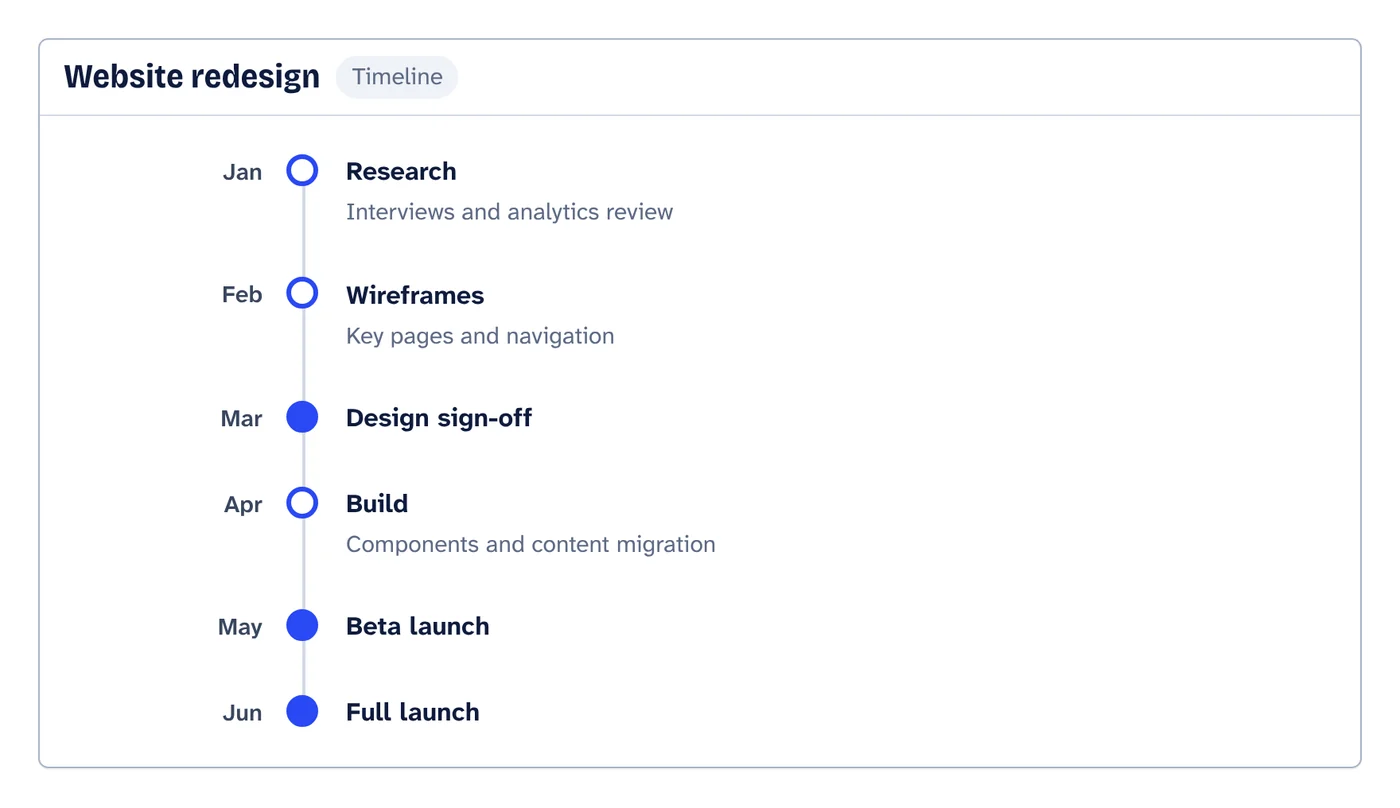
Events appear in order, with milestones highlighted and short details under each.
Adjust it
Ask to move, add or rename events, or edit them in the form editor.
What you get
Milestones stand out
Mark key events as milestones and they are drawn differently from regular steps.
Form editor with live preview
Add, remove and reorder events by hand.
Download anywhere
SVG, PNG, JPEG or PDF for every visual. Flow diagrams also export to draw.io and Mermaid.
Your look
Six themes, straight or curved connectors, flat, outline, elevated or 3D shapes. Downloads match the screen.
Saved to your account
Sign in with Google or email and your chats, diagrams and folders are there on every device. Download everything or delete your account from the app at any time.
Start from a document
Attach a policy, spec or spreadsheet and ask for the diagram. Most files are read right in your browser.
What a timeline is good for
A timeline answers “what happens when”. Use it for project plans, product roadmaps, the history of a company or a topic, and incident reports.
Pair it with other visuals in the same chat: a table of owners for each milestone, or a mind map of the work before it is scheduled.
Prompts to start from
Questions
Can dates be approximate?
Yes. Dates are shown as you write them, so “Q3”, “Spring” or “Week 2” work as well as exact dates.
Can I edit events by hand?
Yes, in the form editor with a live preview.
Can I put a timeline and a table in one answer?
Yes. Ask for both, for example “a timeline of the plan and a table of owners”.
Make something else
- AI chart and table makerPaste numbers, attach a CSV or Excel file, or describe the comparison you need.
- AI mind map makerGive VamimiAI a topic, a plan or your notes, and it draws a mind map: the topic in the middle, main branches around it, each branch in its own colour.
- AI diagram generatorDescribe a process, a system or an idea in a sentence.
- Org chart makerTell VamimiAI who reports to whom, or attach the spreadsheet you already have, and it draws the org chart from the top down.
Part of Diagram makers: Every kind of visual VamimiAI makes from a description: flowcharts, sequence, architecture and swimlane diagrams, mind maps, org charts, charts and timelines.
Describe it. Get the diagram.
No account needed. Write what you want, or attach a document, and refine the result by asking.
Open VamimiAI