 Vamimi
AI diagrams you can open in draw.io
Let VamimiAI do the layout from a description, then download an editable draw.io file and keep working in the tool your team already uses.
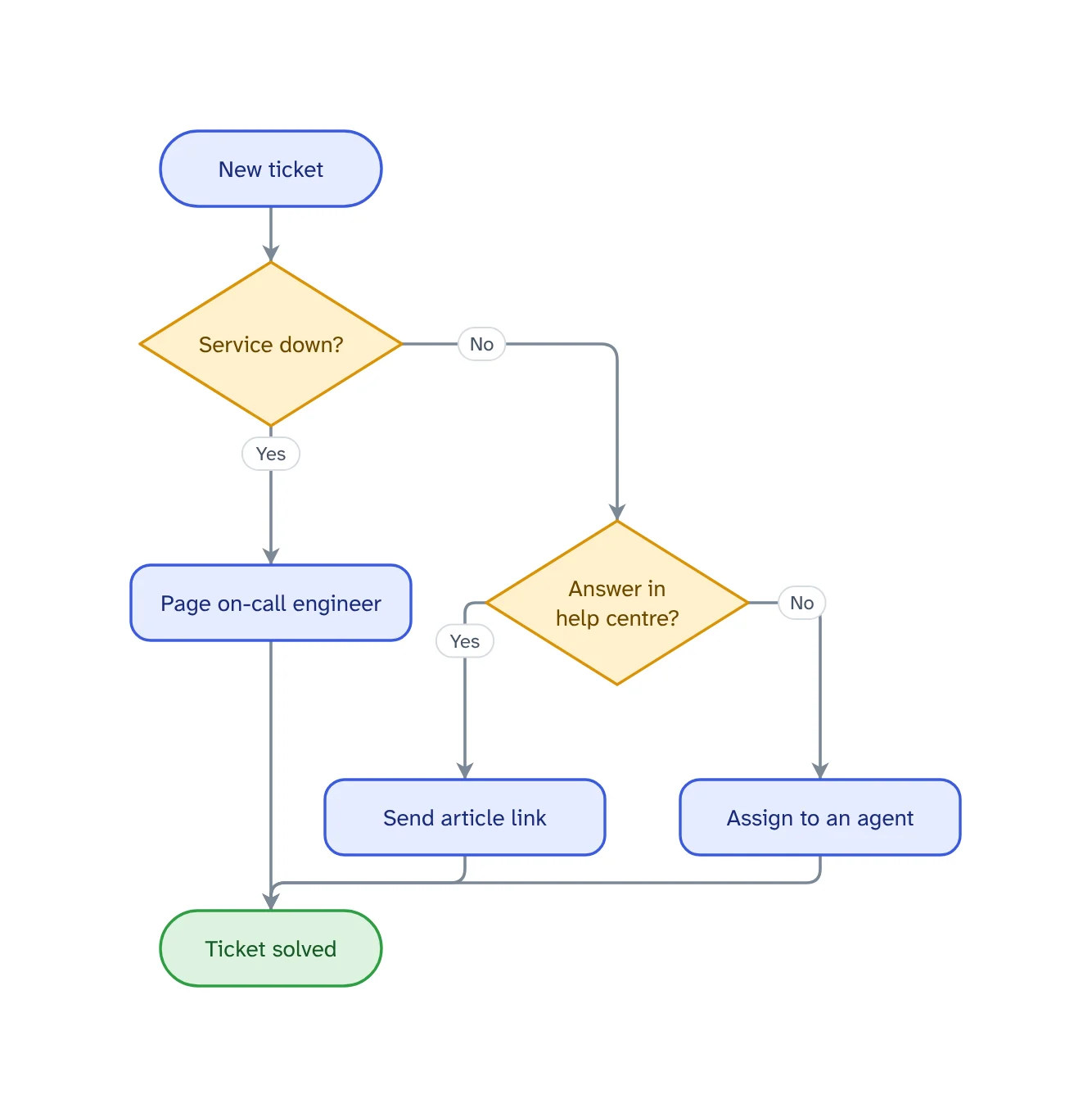
The prompt: Flowchart of how we triage support tickets, including outages
. It goes into the message box for you to edit; nothing is sent until you press Send.
How it works
Describe it
Write what you want in plain words, in any language, or attach a PDF, Word, Excel, CSV or text file.
Get the whole picture
VamimiAI lays out every step and connector for you. No dragging boxes, no lining up arrows.
Download for draw.io
Pick draw.io in the Download menu. Shapes, text, colours and positions carry over.
What you get
Editable, not a picture
Every box is a real draw.io shape with its text, so you can keep editing it.
Groups kept
Groups become dashed frames behind their nodes.
Built in your browser
The draw.io file is generated from the diagram on screen, in your browser.
Edit by hand too
Drag, resize, connect, add shapes, type labels, undo and redo. Your next message continues from your version.
Download anywhere
SVG, PNG, JPEG or PDF for every visual. Flow diagrams also export to draw.io and Mermaid.
Your look
Six themes, straight or curved connectors, flat, outline, elevated or 3D shapes. Downloads match the screen.
Why start in VamimiAI and finish in draw.io
The slow part of a diagram is the first draft: deciding the steps and arranging them. VamimiAI does that from a description in moments. draw.io is a fine place to add the finishing touches your team is used to.
Connectors are left for draw.io to route in the exported file, so they stay easy to move when you rearrange the shapes.
Prompts to start from
Questions
Which diagrams export to draw.io?
Flow diagrams, including architecture, swimlane and layered diagrams, mind maps and org charts. Sequence diagrams export to Mermaid instead.
Will the layout be kept?
Yes. Shapes, text, colours and positions are kept. Connectors are routed by draw.io so they stay easy to edit.
Can I also export images?
Yes. SVG, PNG, JPEG and PDF, plus Mermaid code.
Make something else
- Mermaid diagram generator: describe it, get the codeDescribe a flow in plain words and VamimiAI draws it, then gives you the Mermaid code for it.
- Architecture diagram generatorDescribe the parts of a system and how they connect.
- AI flowchart generatorWrite how a process works, the way you would explain it to a colleague.
- AI diagram generatorDescribe a process, a system or an idea in a sentence.
Part of Diagram makers: Every kind of visual VamimiAI makes from a description: flowcharts, sequence, architecture and swimlane diagrams, mind maps, org charts, charts and timelines.
Describe it. Get the diagram.
No account needed. Write what you want, or attach a document, and refine the result by asking.
Open VamimiAI