 Vamimi
AI mind map maker
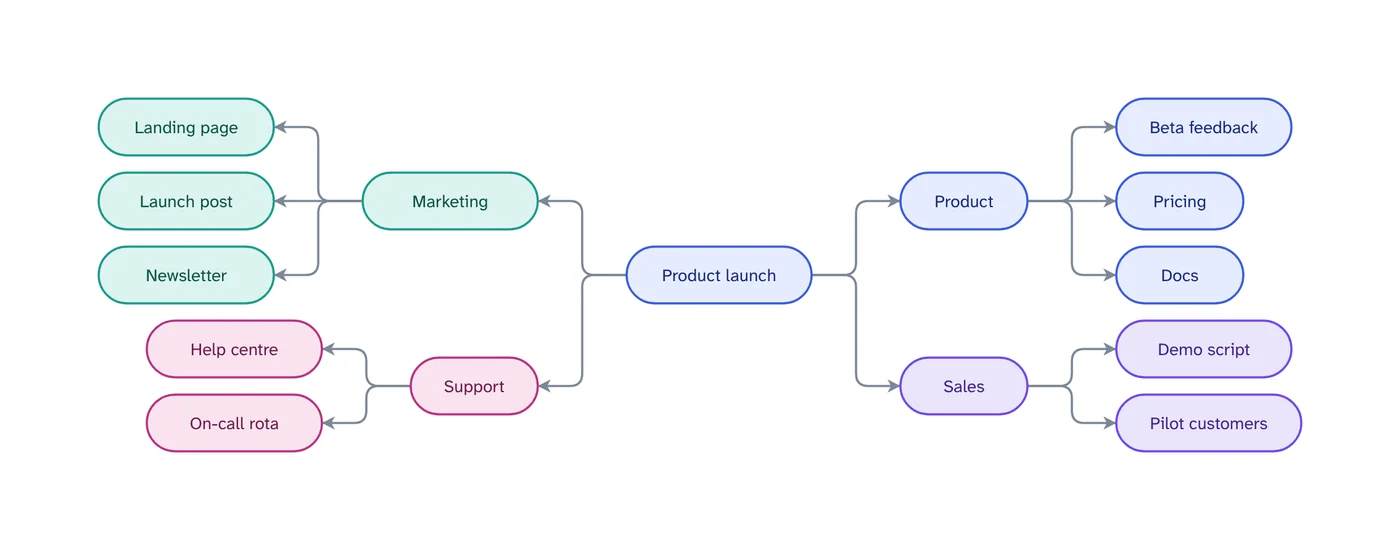
Give VamimiAI a topic, a plan or your notes, and it draws a mind map: the topic in the middle, main branches around it, each branch in its own colour.
The prompt: Make a mind map about launching a new product
. It goes into the message box for you to edit; nothing is sent until you press Send.
How it works
Name the topic
A word, a question or a page of notes is enough. Attach a document to map it.
Get the map
Branches spread left and right of the centre, up to three levels deep, coloured by main branch.
Grow it by asking
“Add a branch for risks”, “split marketing into channels”. The map keeps its shape as it grows.
What you get
Balanced layout
Branches are placed on both sides of the topic so the map stays compact and readable.
Colour by branch
Every main branch and its children share a colour, so you can follow a thread at a glance.
Edit by hand too
Drag, resize, connect, add shapes, type labels, undo and redo. Your next message continues from your version.
Download anywhere
SVG, PNG, JPEG or PDF for every visual. Flow diagrams also export to draw.io and Mermaid.
Saved to your account
Sign in with Google or email and your chats, diagrams and folders are there on every device. Download everything or delete your account from the app at any time.
Start from a document
Attach a policy, spec or spreadsheet and ask for the diagram. Most files are read right in your browser.
Ways to use an AI mind map
Use a mind map to start a plan before you know its order: the parts of a launch, the chapters of a report, the topics for a revision session. Once the branches look right, ask for a timeline or a table based on them.
Attach lecture notes, a brief or meeting minutes and ask for a mind map of the main ideas. It is a quick way to see the structure of a long text.
Prompts to start from
Questions
How deep can a mind map go?
Each main branch can have children up to three levels deep, which keeps the map readable. Ask for a separate map to go deeper on one branch.
Can I edit the mind map by hand?
Yes. Open the editor to drag, rename, add and delete branches, with undo and redo.
Can I make a mind map from a document?
Yes. Attach a PDF, Word, Excel, CSV or text file and ask for a mind map of it.
Make something else
- Org chart makerTell VamimiAI who reports to whom, or attach the spreadsheet you already have, and it draws the org chart from the top down.
- AI timeline makerDescribe a project plan, a history or a sequence of events.
- AI diagram generatorDescribe a process, a system or an idea in a sentence.
- Turn a document into a flowchartPolicies, procedures and specs describe processes in long paragraphs.
Part of Diagram makers: Every kind of visual VamimiAI makes from a description: flowcharts, sequence, architecture and swimlane diagrams, mind maps, org charts, charts and timelines.
Describe it. Get the diagram.
No account needed. Write what you want, or attach a document, and refine the result by asking.
Open VamimiAI