 Vamimi
Architecture diagram generator
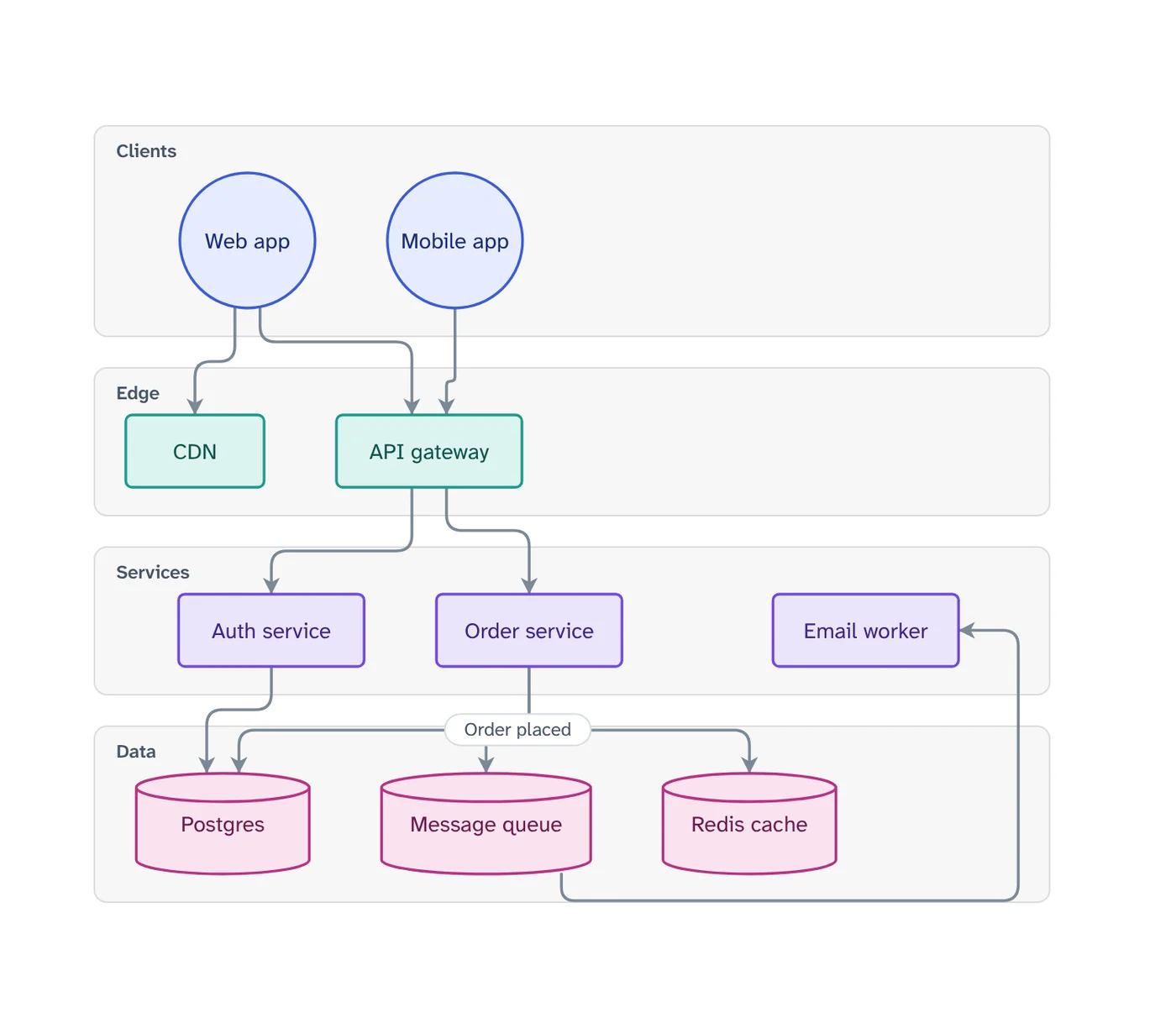
Describe the parts of a system and how they connect. VamimiAI draws the architecture diagram and can group components into tiers, from clients down to data stores.
The prompt: Draw the architecture of a web shop with a mobile app, an API gateway, services and a database
. It goes into the message box for you to edit; nothing is sent until you press Send.
How it works
Describe the system
List the clients, services, data stores and outside providers, and say which talks to which.
Get the diagram
Components are grouped and laid out so connectors are short and cross as little as possible.
Refine by asking
Say “add a retry”, “split the payment step” or “make it left to right”. Only what you ask for changes.
What you get
Tiers and groups
Groups become tiers (clients, edge, services, data) or swimlanes, each with its own colour.
Labelled connectors
Put text on a connection, like “order placed” or “every 5 min”, and it is placed so it does not cover a box or another label.
Edit by hand too
Drag, resize, connect, add shapes, type labels, undo and redo. Your next message continues from your version.
Download anywhere
SVG, PNG, JPEG or PDF for every visual. Flow diagrams also export to draw.io and Mermaid.
Your look
Six themes, straight or curved connectors, flat, outline, elevated or 3D shapes. Downloads match the screen.
Start from a document
Attach a policy, spec or spreadsheet and ask for the diagram. Most files are read right in your browser.
What a good architecture diagram shows
A useful architecture diagram answers one question, such as “what happens when a customer places an order” or “where does our data live”. Name that question in your request and the diagram stays focused.
Group components by tier or by owner, label the connections that carry important data, and leave out what nobody will ask about. You can always ask for a second diagram that zooms into one service.
For the order of calls between components, follow up with a sequence diagram of the same flow.
Prompts to start from
- Draw the architecture of a web shop with a mobile app, an API gateway, services and a databaseTry it →
- Architecture diagram of a data pipeline from app events to a dashboardTry it →
- Show the architecture of a chat app with real-time messagesTry it →
- Architecture of a serverless image upload serviceTry it →
Questions
Can it group components into layers?
Yes. Give components a group, or ask for tiers such as clients, services and data, and each group becomes a horizontal band.
Can I open the diagram in draw.io?
Yes. Flow and architecture diagrams download as an editable draw.io file with shapes, text, colours and positions kept.
Can I describe a system from a design document?
Yes. Attach the document and ask for its architecture diagram.
Make something else
- Sequence diagram generatorExplain an interaction in plain words, such as a login, a payment or a webhook, and VamimiAI draws the sequence diagram: participants left to right, messages in order, replies dashed.
- AI diagrams you can open in draw.ioLet VamimiAI do the layout from a description, then download an editable draw.io file and keep working in the tool your team already uses.
- AI diagram generatorDescribe a process, a system or an idea in a sentence.
- Swimlane diagram makerWhen a process passes between people or teams, a swimlane diagram shows who does each step.
Part of Diagram makers: Every kind of visual VamimiAI makes from a description: flowcharts, sequence, architecture and swimlane diagrams, mind maps, org charts, charts and timelines.
Describe it. Get the diagram.
No account needed. Write what you want, or attach a document, and refine the result by asking.
Open VamimiAI