 Vamimi
AI flowchart generator
Write how a process works, the way you would explain it to a colleague. VamimiAI turns it into a flowchart with every decision, every exit and every end state in place.
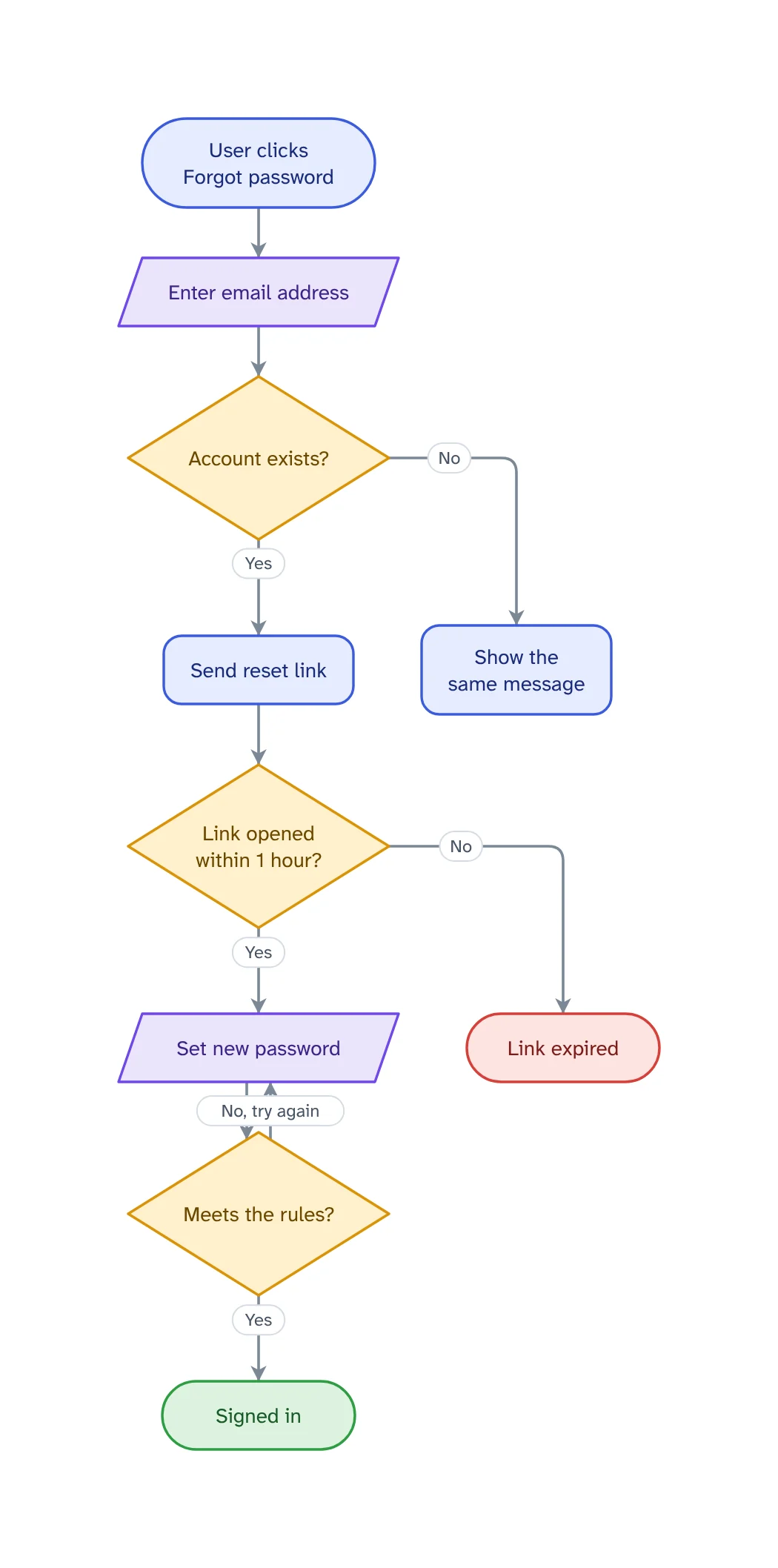
The prompt: Make a flowchart of a password reset, including expired links and weak passwords
. It goes into the message box for you to edit; nothing is sent until you press Send.
How it works
Describe the process
Plain words are enough: who does what, what gets checked and what happens when a check fails.
Get the whole picture
VamimiAI lays out every step and connector for you. No dragging boxes, no lining up arrows.
Refine by asking
Say “add a retry”, “split the payment step” or “make it left to right”. Only what you ask for changes.
What you get
Standard flowchart shapes
Start and end terminals, process steps, decision diamonds, input and output, data stores and failure steps.
Readable layout
The main path runs down one straight line, decisions branch from their points and loops go back without crossing it.
Checked for gaps
Logic checks catch a decision with only one exit, a step that leads nowhere and a step nothing reaches.
Edit by hand too
Drag, resize, connect, add shapes, type labels, undo and redo. Your next message continues from your version.
Download anywhere
SVG, PNG, JPEG or PDF for every visual. Flow diagrams also export to draw.io and Mermaid.
Your look
Six themes, straight or curved connectors, flat, outline, elevated or 3D shapes. Downloads match the screen.
How to describe a process so the flowchart comes out right
Start with the trigger and the result: “A customer asks for a refund … the money is back on their card.” Then list the checks in between. Each check that can fail is a decision, and each decision needs an answer for both outcomes.
Name the people or teams if more than one is involved, and VamimiAI can put them in swimlanes. Mention the exceptions you care about, such as timeouts, missing documents or a second approval for large amounts.
If a flowchart is getting long, ask for a separate diagram for one part. Keeping each diagram to one goal is the most reliable way to keep it readable.
Flowcharts for automation workflows
Describing an automation you are about to build? Ask for every failure path and VamimiAI draws a retry, an alert or a clear end for each call to an outside service, not just the happy path. Already built it in n8n or Make? Import the export instead and the flowchart is read from the file.
Prompts to start from
Questions
Is a flowchart the same as a process diagram?
Mostly. A flowchart uses a small set of standard shapes for steps, decisions and end points. VamimiAI uses those shapes and adds colour for meaning: green for success and red for failure.
Can I turn a written procedure into a flowchart?
Yes. Paste the text or attach the document (PDF, Word, Excel, CSV or text) and ask for a flowchart of it.
Can I export the flowchart to other tools?
Yes. Download it as SVG, PNG, JPEG or PDF, as an editable draw.io file, or as Mermaid code to keep it in your docs.
Can I make it go left to right?
Yes. Ask “make it left to right”, or set the direction in the composer's options before you send.
Guides on this
Make something else
- Turn a document into a flowchartPolicies, procedures and specs describe processes in long paragraphs.
- n8n workflow diagram from your export, with every error pathDownload the workflow from n8n and drop the file into VamimiAI.
- Mermaid diagram generator: describe it, get the codeDescribe a flow in plain words and VamimiAI draws it, then gives you the Mermaid code for it.
- AI diagram generatorDescribe a process, a system or an idea in a sentence.
Part of Diagram makers: Every kind of visual VamimiAI makes from a description: flowcharts, sequence, architecture and swimlane diagrams, mind maps, org charts, charts and timelines.
Describe it. Get the diagram.
No account needed. Write what you want, or attach a document, and refine the result by asking.
Open VamimiAI