 Vamimi
Sequence diagram generator
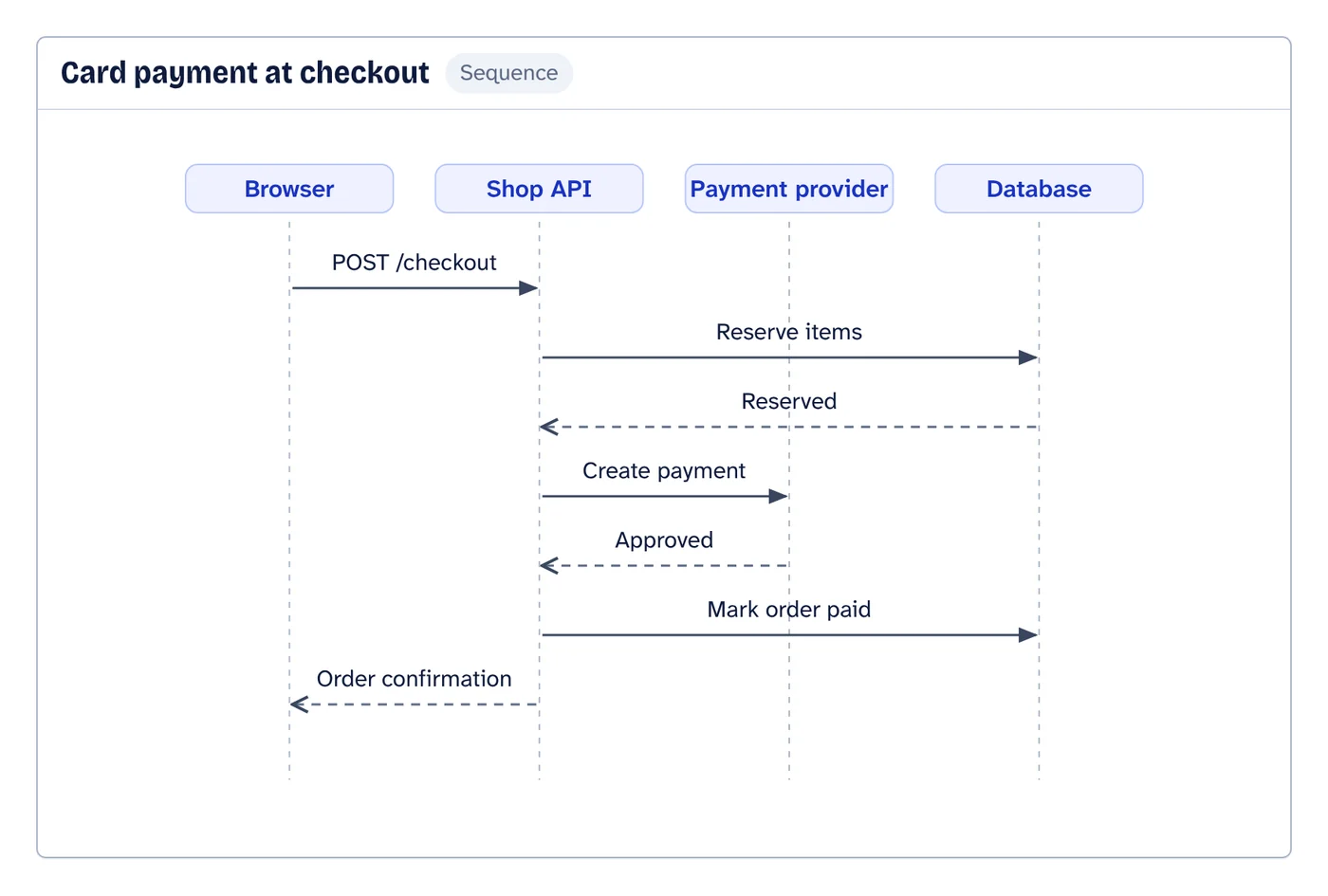
Explain an interaction in plain words, such as a login, a payment or a webhook, and VamimiAI draws the sequence diagram: participants left to right, messages in order, replies dashed.
The prompt: Show a sequence diagram of a card payment at checkout
. It goes into the message box for you to edit; nothing is sent until you press Send.
How it works
Describe the interaction
Name the participants, like browser, API, database or a third-party service, and what they send each other.
Get the diagram
Participants are placed left to right and messages run top to bottom in time order. Participants that never send or receive anything are left out.
Refine by asking
Say “add a retry”, “split the payment step” or “make it left to right”. Only what you ask for changes.
What you get
Calls and replies
Requests are solid arrows and replies are dashed, so the flow of control is easy to follow.
Form editor with live preview
Add, remove and reorder participants and messages by hand and watch the diagram update.
Mermaid export
Copy the sequence diagram as Mermaid text, or download a .mmd file, to keep it next to your code.
Download anywhere
SVG, PNG, JPEG or PDF for every visual. Flow diagrams also export to draw.io and Mermaid.
Saved to your account
Sign in with Google or email and your chats, diagrams and folders are there on every device. Download everything or delete your account from the app at any time.
Start from a document
Attach a policy, spec or spreadsheet and ask for the diagram. Most files are read right in your browser.
When to use a sequence diagram
Use a sequence diagram when the order of messages matters more than the structure: authentication handshakes, payment flows, retries between services, or the steps of an integration with a partner API.
Keep each diagram to one scenario. A happy path and its main failure as two diagrams usually read better than one diagram full of alternatives.
If the question is “which parts exist and how are they connected” rather than “in what order do they talk”, an architecture diagram is the better fit.
Create a sequence diagram in three steps
Name who takes part (a person, an app, an API), describe what each one sends to the next in plain words, and say what happens when a call fails or times out. VamimiAI draws the lifelines and messages in order, then you refine it by asking or download it as Mermaid.
API and webhook sequence diagrams
Integrations are where sequence diagrams pay off: a payment provider calls your webhook, the automation checks the signature, writes to the CRM and answers before the provider retries. Ask for the timeouts, retries and error replies too, and each becomes its own message on the diagram.
Prompts to start from
Questions
What is a sequence diagram?
A diagram that shows participants as columns and the messages between them as arrows in time order, top to bottom. It is part of UML and is widely used to document APIs and protocols.
Can I edit the messages by hand?
Yes. The form editor lets you add, remove and reorder participants and messages with a live preview.
Can I export it as Mermaid?
Yes. Sequence diagrams copy as Mermaid text or download as a .mmd file, as well as SVG, PNG, JPEG and PDF.
Make something else
- Architecture diagram generatorDescribe the parts of a system and how they connect.
- Mermaid diagram generator: describe it, get the codeDescribe a flow in plain words and VamimiAI draws it, then gives you the Mermaid code for it.
- AI flowchart generatorWrite how a process works, the way you would explain it to a colleague.
- n8n workflow diagram from your export, with every error pathDownload the workflow from n8n and drop the file into VamimiAI.
Part of Diagram makers: Every kind of visual VamimiAI makes from a description: flowcharts, sequence, architecture and swimlane diagrams, mind maps, org charts, charts and timelines.
Describe it. Get the diagram.
No account needed. Write what you want, or attach a document, and refine the result by asking.
Open VamimiAI